
The majority of people use a smartphone these days, with 100 million people starting to use them in the past year alone. Smartphones these days essentially provide us with constant access to a high-quality recording device that fits into our pockets. They can record videos and live streams in impressive HD quality without people needing tons of equipment or a specific setup, saving people money and time.
While it may be easy for people to pick up their phone and go live, it’s still important to make sure your live streams are professional and represent your brand in the right way. Zidivo is here to run you through live streaming on mobile in terms of how to get it right and achieve the desired results.
Live streaming on mobile has not only been made more accessible by the advances in smartphone technology but by the volume and variety of live-streaming apps too.
Lighting can make or break a video. If you are broadcasting while on the go it can be tricky to control, but if you are aiming for professional setup and feel to your video, you should make sure to use the three-point lighting rule. Essentially, this involves having three lighting points, with one lighting up your background to add depth and one making sure to avoid shadows falling on your face.
Of course, mobile live streaming tends to be more informal, so it can be trickier to control your lighting. Natural light, however, can be utilised just as effectively. Position yourself near to a window in the daylight benefit from this without having to invest in professional light sources.
Next, think about your audio. If you are using your phone’s built-in microphone, make sure to set your phone up or hold it as close to your face as you can to ensure your voice audio is crisp and to eliminate any background noise.
A poor or unreliable internet connection will quite frankly ruin your live streams. No one wants to watch a video that is slow to load or buffers, so its important to do plenty of testing to ensure your internet connection is powerful enough and fast enough to support your video beforehand. Don’t go live to a large audience without checking that your internet has more than enough bandwidth to support this.
While the battery life of smartphones is getting longer all the time, live streaming can use a lot more power than some of your phones other functions. Before live streaming on mobile, make sure your phone is fully charged or that it’s connected to a power source if you plan to live for a long period.
Last but not least, another thing to consider with live streaming on mobile is your other phone alerts and notifications. You don’t want to have to worry about any alarms or notifications coming through while you’re streaming as this can end up causing your broadcast to end or making you appear unprofessional to your audience. To avoid this, turn your phone onto ‘do not disturb’ and mute all notifications before every live stream.
The overarching benefit of live streaming on mobile is that you don’t require a team of video professionals or a high-value setup to achieve results or generate an audience. You can go live from anywhere with a reliable internet connection, providing individuals and brands with a huge amount of creative freedom and the ability to offer dynamic, fun and engaging live streams that don’t require a formal environment or feel.
This one might go without saying, but every man and his dog has a smartphone these days. On top of this, most social channels and live streaming platforms allow you to go live while on the go, making mobile live streaming ideal for those on a budget who don’t have the funds to invest in expensive or professional equipment.
Although it can be more difficult to achieve a high-quality and professional live stream on a mobile device, this can work in your favour. Depending on your video content, dynamic mobile live streams can actually generate increased engagement due to the informal and less rehearsed feel they can provide for your audience.
The main issue that people face with mobile live streaming is establishing a strong enough internet connection. Live streaming on a dedicated camera with a professional setup allows you to use wired ethernet connections, whereas mobile live streams often require mobile data or WiFi connections that are far less reliable. Before going live on mobile, make sure your internet is powerful and fast enough to support the size and length of your video.
While smartphone cameras have come a long way in the past decade, they are still limited to the video quality they can provide. Some incredible smartphones are on the market now though, such as the iPhone 11 Pro, Google Pixel 3 and Galaxy S10 that can allow you to record video in up to 4K HD at 1080p.
The Zidivo platform allows you to go live from any recording device, whether you use a software or hardware encoder to convert your video into streamable content. You will be provided with a simple embed code to go live on any and as many webpages as required with minimal hassle. You can try the Zidivo platform for free for 30 days to see if it works for you!
Where podcasts were once a new phenomenon used by individuals and businesses to discuss topics of interest and educate listeners, they are now common practice. Brands, influencers, celebrities and more are getting involved, offering a wide variety of podcasts to suit all kinds of audiences. With this relatively new surge in popularity of the podcast, professionals are taking it even further by offering both audio and video - known as a video podcast, videocast, or vidcast (if you’re down with the lingo).
The ultimate goal with podcasting is to make money or generate an ROI, whether you are looking to do this by educating and building an audience or highlighting new products or services. To compete in the world of podcasts though and achieve your goals, you must have a strong idea of what your audience wants and how to achieve this. Zidivo is here to provide a quick overview of how to stream a podcast and nail the concept of the video podcast that is so popular today.
First things first, you need to decide on the type of video podcast you plan to offer. You may want to keep it simple and record video content of you/your speakers sat in the studio discussing topics in great depth at the same time and place every week. This is easy to do, you will just need somewhat entertaining and knowledgeable hosts with plenty of material and information to share. Creating a detailed content calendar is essential to ensure your video podcasts can be planned and promoted in the right way.
If you want your videocasts to offer your audience more variety in terms of insight into certain topics, inviting people to take part in interview podcasts is another popular option. With these types of video podcasts, you can interview different people each week, either from your own studio setup or remotely. While there is more risk involved in interview videocasts in terms of what can go wrong, hosting different professionals/individuals each week is far more dynamic for viewers and can be a huge success when generating attention and building audiences.
The good thing about video podcasts is that the visual side of things isn’t the main focus. If anything, offering video with your podcast is an added bonus for your audience. It’s also important to remember that people listen to podcasts usually to educate themselves or for entertainment when out and about, not for the video side of things. Despite this, you should aim to offer the highest quality of video content that your budget allows.
A decent DSLR is advised, however for businesses or individuals working under strict budgets, a smartphone camera can do the trick! Think about your audience and how much importance they would place on the quality of your video, before investing in top of the range camera equipment. Whichever type of recording equipment you decide to go for, make sure there is plenty of memory space on your card or phone to avoid your podcast cutting out halfway through.
Of course, the sound quality when recording podcasts is the main event. People shouldn’t have to strain to make sense of or hear what’s being said - it needs to be crisp and clear, without viewers having to ramp up their volume. Invest in a quality and reputable external microphone that suits your budget and is compatible with your other device, whether you’re using a computer, laptop or even tablet to manage the recording of your podcast. By rule of thumb, you should never rely on the built-in microphones of your cameras or smartphones as these simply can’t provide the level of sound quality required for effective podcasting.
Some microphones that are popular in the podcasting world are the Blue Yeti USB mic, the Rode Podcaster mic, the Samson Meteor mic and many more!
If you are offering your video podcasts on demand, you will need to familiarise yourself with some editing software. You may have editing software downloaded already if your business has tried their hand at graphic design or video creation before, such as Adobe Creative Cloud or GarageBand. Use this stage to edit out any aspects of your video or sound recordings that don’t add anything or provide value. You can also brand up your content using introductory frames and ensure there are smooth transitions between each focus of discussion. Many podcasters record unique jingles to use as a signature for their company/brand.
Recording and editing your video podcasts is one thing, but how you share your videos is the final piece of the puzzle. There are free options available for sharing on-demand or live video podcasts, or you can opt for a professional platform to ensure you maintain all the rights to your content.
Zidivo is a professional video platform allowing users to host or stream video content from any device or webpage. Their wide range of features allows businesses or individuals to customise the look of their HTML5 players and embed video podcasts on as many pages as required. Their packages allow users to pay for storage based on their needs, whether you’re an individual looking to get started with video podcasting or are an established company that wants to implement a large-scale podcast series onsite.
The benefits of using a professional video platform like Zidivo is you can choose whether to stream your video podcasts live and unedited, or opt for more polished and high-production podcasts available to your audience on demand.
Overall, when deciding whether to offer video podcasts and how to do so, think about your target audience. Would they appreciate a high-quality and professional-looking setup? Or, do they listen to your podcasts for the entertainment and fun factor? Think about your audience’s priorities to make sure your videocast represents your image and once you’ve gauged the ideal setup, keep it consistent.
Zidivo’s platform offers a free 30-day trial, so you can make the most of our hosting or streaming features to share video podcasts and show your target audience the value you have to offer. Get in touch with our team today to discuss our video platform further or simply create an account to get started.
As an increasing number of businesses, marketers, schools, churches, and more, are using live streaming to reach out and engage with audiences online, the quality and setting of live videos are becoming far more important. If a brand wants to stand out, they must offer high-quality and unique streams. Multi-camera live streaming is one way for broadcasters to boost the value and engagement of their live content, by offering viewers multiple angles and changes in scenery.
Zidivo is here to share their tips for streaming using multiple cameras, including everything you will need to get started…
Plan your live stream content as usual in terms of your topic, setting(s) and target audience. Although you’re using multiple cameras, the filming process and equipment required aren’t vastly different, you will just need more cameras and microphones to throw in the mix and a piece of software or hardware known as a switcher.
When starting out with multi-camera live streaming, keep in mind that there should always be one main camera positioned to offer a wide view and be used as a base for when adjusting other angled shots. Secondary cameras or smartphones can then be used to offer close-up shots or various angles, helping to show your audience the setting and speakers more clearly and add interest.
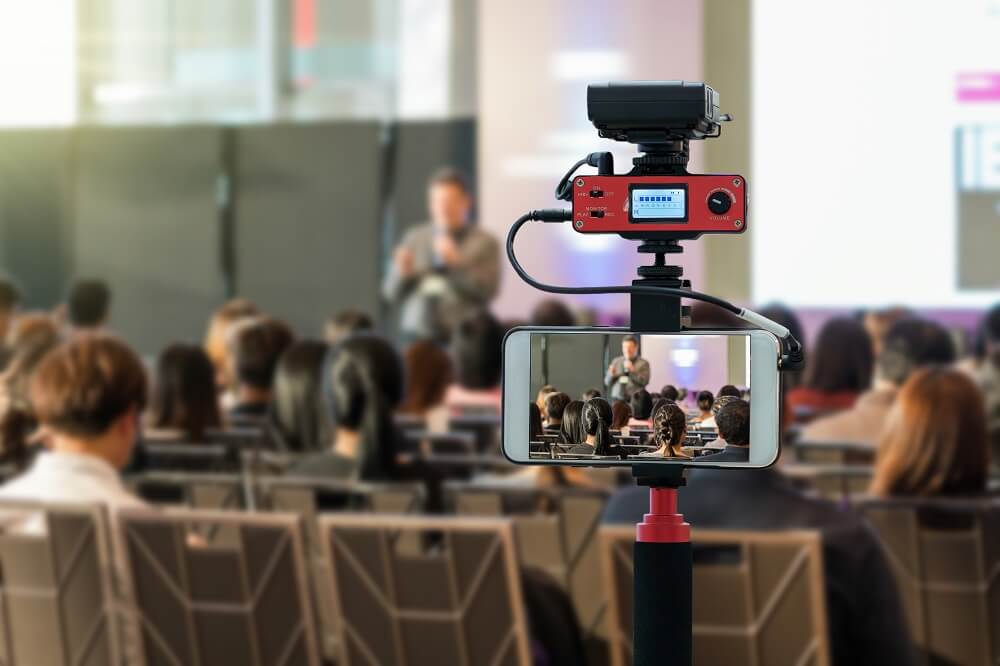
All in all, multi-camera streams help broadcasters take their video to the next level. When watching live videos, viewers don’t have the opportunity to pause or rewind - offering multiple angles and settings makes your content far more interesting and keeps people engaged for longer. What’s more, it hugely adds to the production value of your streams and allows you to offer a far more professional feel.
Zidivo supports broadcasters that want to offer more interesting and unique live streams, hence their platform supports any setup. Whether a professional wants to stream from one or ten cameras, their features allow for plenty of creative freedom. Get in touch to hear more about the wide range of streaming and hosting services they offer.
Going live with a professional setup from the comfort of a studio or home is one thing, but attempting to live stream whilst out and about is a completely different ball game. Unless you can afford to have a studio truck follow you around whilst you stream, you lose all the luxury of having a strong internet connection and back up equipment.
Fortunately, there are things that can be done nowadays to optimise and make the most of the little equipment that you can take around with you. Where outdoor broadcasting was once limited to large corporations hosting huge events, in recent years it has become far more accessible. Live streaming technology is constantly developing, allowing practically anyone with a decent camera and mobile hotspot connection to share an effective and reliable stream whilst outdoors.
One of the most pressing issues involved in broadcasting outdoors is internet. When indoors, you can position yourself right next to your internet router or, even better, benefit from a reliable ethernet connection to share streams. When outdoors, the options are far more limited. Depending on where businesses or individuals are planning on streaming from, they will have to compete in potentially saturated bandwidths. Highly populated or urban areas can be a nightmare for outdoor broadcasting, as there may be thousands of others trying to gain a cellular connection simultaneously. For this reason, professional live streams cannot rely on cellular networks for a reliable and secure connection.
Fortunately, there are a number of ways for broadcasters to gain connections that are reliable enough for live streaming.
Using mobile hotspots is one way to go about it. While this may not be the most reliable option, a strong 5G connection can still be used for live streaming. Mobile hotspots may not be suitable for longer streams as connections tend to fluctuate in strength due to changes in mobile battery and signal speeds in the area. If you plan to stream a short update or announcement for your audience though, a 4G or 5G hotspot connection can be all that’s needed to successfully go live on your site or on social media.
The Zidivo platform is designed to suit businesses of all sizes, whether you’re an individual looking to stream using one camera or directly from a webcam, or you have a large filming team to follow you around. Our live streaming features are completely adaptable with pricing packages to match, so you can decide exactly what features you require and how much of your budget to invest.
Another option for going live outside is to invest in longer ethernet cables or have extenders fitted. These repeaters simply fit to your existing ethernet cables allowing you to have a completely reliable and consistent internet connection. Of course, this places some restrictions on where you can stream from, but if you can find an area in proximity to an internet router, you can stream at top resolution whilst still offering viewers a more interesting setting.
Cellular bonding is another option for those looking to stream outdoors, where multiple mobile network connections are combined to form one highly reliable and powerful connection for live streaming. This is arguably the only suitable way to stream from remote locations or to stream large scale events reliably. You will need to purchase and set up a separate hardware device to transform singular cell, WiFi, ethernet or USB connections into one stable and strong connection, perfect for professional live streaming.
Cellular bonding technology may require an initial investment, but find the right one for you, and you could be live streaming from any location you desire without having to worry about your connection dropping off and letting your audience down. In instances where your audience may be paying for access to your live streams, cellular bonding is really the only way to guarantee a steady and high-quality stream.
The Zidivo platform is designed to work with any device, whether you are broadcasting outdoors directly from your camera or using an IP webcam. We provide the user-friendly platform with a wide range of features to suit and leave you to focus on what really matters, creating unique content.
Live video is an intrinsically ‘in the now’ form of video content, offering audiences an authentic and real-time view of brands or individuals. Actually though, if done right, live video can become evergreen, offering value and relevance to viewers for all time.
Any video that can be watched multiple times and at any point in time whilst still retaining all its original value and relevance for your brand can be classed as evergreen. Basically, if your videos stay fresh and continue to bring in views and attention over the years rather than dropping off and becoming stagnant, you’re getting it right.
Some examples of live video content that lend themselves to becoming evergreen are conferences, debates, Q&As, webinars, e-lessons, and more. If your live streams are focused on a topic that will never become outdated or irrelevant to your target consumers, you can’t go wrong.
While this type of content is brilliant and can have huge benefits for brand awareness and conversions, it’s important to note that not every live stream will lend itself to being evergreen. Don’t force it. For example, your company may rightly create video content that contributes to a current internet craze or viral trend to boost your brand awareness, but this won’t stay relevant forever. Think about the types of live video you put out and mix it up, so you’re providing both current and value-led content.
Zidivo’s professional live streaming and video hosting platform is designed to suit businesses of all sizes. Whether you have an extensive video strategy in place that requires significant storage or you are a start-up looking to get stuck into the world of live video. Their HTML5 video player allows professionals to embed any current or old live streams anywhere onsite at the highest quality.
In general, when filming live videos with the intent for them to become evergreen, relevancy should be at the forefront. Will your target audience still be interested in your content a couple of months or years down the line? Will there be continued demand for the information that your video is providing? Aim to optimise your video so it never becomes outdated or uninteresting.
One way to create an evergreen live stream is to ensure that you offer viewers genuine value and educate them in some way. Live video can be used for a range of purposes like providing quick updates or daily vlogs, but it has to be utilised in the right way to become evergreen. The types of videos that provide real value are how-to’s, explainer videos, product demonstrations or reviews, and webinars. Why not show people how to use your product or explain how your services work? Humans thrive off learning and are always seeking an education of some kind. Any live stream that teaches your audience something useful that they won’t find anywhere else, is sure to be a success for years to come.
If you don’t have any valuable lessons to provide your audience, showing viewers a ‘behind the scenes’ view or introducing your team is also always bound to spark interest. If you’re a professional or brand, your audience will always be intrigued about how your company really works. Putting faces to your brand through live and authentic content is guaranteed to consistently generate attention.
Setting goals and drumming up interest for your live streams is essential, but it’s important not to limit your content. Building an audience for your videos is the key to a successful stream, but if you place too much emphasis on the date and time of your content in the promotion, you can end up limiting the chances of your video staying relevant in the future.
Rather than titling your live streams with dates or times, opt for themes and topics. Make it clear when marketing your streams that you tell your audience the value you’ll be offering. People are far more likely to tune in at the time and at a later date if you highlight how and why your live content will be profitable for them.
If you have any past streams that are jam-packed with valuable and informational content, repurposing is another productive way to create evergreen content. Breaking longer streams up into smaller videos will encourage views, engagement, and can provide far more potentially evergreen material. The shorter and more concise your videos, the more likely people are to stick around and watch. If your live videos are particularly long, creating highlight reels to make sure your viewers get all the important information can be highly effective.
There is always some kind of viral trend or internet craze going around. Engaging with these is a great way for brands to show their relevancy and humanity, however, if you plan to create evergreen live content, they’re dangerous territory. As quick as things can go viral online, they can also drop off the face of the earth. Try to avoid referring to current trends in your live content and instead relate to ongoing worldwide issues that are relevant to your brand.
If your brand plans to create a live video strategy with content that lasts a lifetime and really makes an impact, you will need a reliable video hosting platform to support you. Zidivo’s range of features offers businesses the opportunity to host all their live and on-demand video content from one place using a user-friendly interface for embedding. Get in touch with the Zidivo team today to learn more about the platform’s features, or start your free 30-day trial now!
While most broadcasters aim to generate as large of an audience as possible, there are actually many purposes to live content that require a more targeted and/or limited audience. On top of this, with digital hackers on the rise, businesses simply must be clued up on how to protect their site and content from potential attacks. Live streaming is no exception.
How can businesses control who has access to their live streams and ensure complete security?
There are a number of things that can be done to boost the overall security of live videos, to protect both broadcasters in front of the lens and those tuning in.
One way to control who has access to your live streams is to implement password protection. This way, you can distribute your password to the relevant people and ensure that no potentially sensitive content is accessed by the wrong people. While hackers have been known to find ways to access passwords, it’s a simple way to share your video content with a specific set of people.
As live streaming grows in popularity and people become familiar with the different ways it can be used, naturally, businesses are capitalising on this and monetising their streams. If you’re live streaming an event, webinar, debate, or anything online in exchange for payment, it’s essential to make sure your customers' payments are protected. Fail to do so, and you risk finding yourself in tricky legal scenarios or losing out on potential customers if they don’t feel confident in providing their payment details.

To secure your payment process for viewers, you should use SSL encryption. This uses an encryption algorithm to protect all information being passed between servers, including highly sensitive and personal information like payment details.
As well as the option to password protect your live videos, you can place secondary restrictions on who can view and embed your videos. Domain restrictions allow you to control which specific domains have permission to embed your streams. Simply make a list of all the domains that are allowed access to your embed code, and any that aren’t on the list will be unable to play your videos on their site.
To go one step further, you can place restrictions on the specific areas and locations that can play or view your live streams. If you only want to open your streams up to viewers in certain countries or areas, you can identify the relevant IP addresses and prevent foreign countries from tuning in.
At Zidivo, we understand the importance of offering viewers secure and reliable streams. Our platform gives professional broadcasters complete control over who can view their videos using our players. The HTML5 video player allows users to easily secure their videos and exclude viewers based on their location, IP address, and much more.
When deciding where to share and/or host your live videos, always consider the degree of control you want to maintain. While a number of social channels now offer free and easy-to-use live streaming features, when uploading content using these platforms, you lose the rights to your content. This can open you up to a whole host of issues where security is concerned, as people can and are allowed to legally copy your content, brand it up and share it on their own channels, without needing any permission whatsoever!
With Zidivo and other secure video streaming platforms alike, you get to keep all the rights to your content. You get to decide how you want your videos to look, how long they are, who can watch, and more. We aim to provide customers with a smooth and user-friendly interface, so broadcasters can focus on creating valuable content.
Despite the fact that video security is essential for all broadcasters, some forms of live video content will be more sensitive than others.
Live video is now commonly used to manage the day-to-day running of large businesses. Whether it's used for conference calls, staff training, webinars, company updates, or corporate meetings, it’s essential for these streams to be fully and strictly protected from any potential online threats. Fail to do so, and companies risk sensitive or strategic information being leaked or compromised.
Many local and national governments these days are using live streams to share debates and parliamentary sessions with the public or each other. Not every debate will be open to the general public to view and these will only be open to viewers in certain countries, hence security is key in ensuring that streams are only playable in selected locations and/or on certain domains.
Technology is evolving and with it so are medical procedures and achievements. Live streams are now used regularly in the medical world for both research and treatment purposes. High-quality live streams can be used for training to demonstrate lengthy operational procedures and can even now be obtained from X-rays and scanners for medical professionals to observe a live feed from patients. Of course, medical records are highly confidential, so these streams need to have plenty of security measures in place.
If you’re looking for a live streaming platform where you can maintain all the rights to your content and have a high degree of control over who can play your streams, Zidivo is right for you. Our HTML5 video players are completely customisable so businesses can easily decide how they want their streams to appear and who can access them.
Get in touch with Zidivo today for more information or sign up to a completely free 30-day trial of the platform today!
The live streaming game has stepped up a notch, as it becomes the preferred way for broadcasters and/or businesses to engage with their audiences. Offering your audience a poor quality live stream can make you stand out from the crowd, but for all the wrong reasons.
No one sticks around to watch streams that lag, buffer, or worse, crash altogether. The proof is in the pudding, with 90 seconds being the average amount of time a viewer will stick around to watch a buffering live stream.
As a professional broadcaster or company looking to incorporate live streaming into their online strategy, you should be aiming for exceptional quality every time you go live. Fail to do so, and you risk your poor quality or slow loading live streams having a negative impact on your brand’s reputation.
Fortunately, there are plenty of ways to improve video streaming quality and provide viewers with live video content that is both reliable and at a high resolution. The main thing to keep in mind is that the higher the quality on your end of the broadcast, the better the viewing experience will be for your audience. While there may be differences in resolution depending on the internet connection and devices used by your viewers, if your upload quality and speed is optimised, you can’t go wrong.
67% of viewers say quality is the most important factor when watching a livestream
As easy and quick as it may be to pick up a smartphone and start live streaming, it’s practically impossible to achieve a professional-looking stream without proper camera equipment. Smartphones are evolving by the day, but it’s still not possible to broadcast in 4K HD without investing in a suitable camera. Check out our recent blog post where we highlight our favourite cameras for live streaming.

If you want to provide your audience with consistently high-quality live video streaming, investing in a professional set-up is worth every penny.
Encoders are an essential component to every high-quality live stream, transforming audiovisual signals into streamable content. Without some form of an encoder, your video content won’t be suitable for streaming across the web.
Whether you choose to use physical hardware or encoding software, there are certain settings to use that ensure your content is streamed at the utmost quality:
Another important tip for how to improve video streaming quality is to choose a professional and reliable streaming service. The streaming platform used can make or break your live streams where quality is concerned.
Unfortunately, the quality of an on-demand or live video isn’t only dependent on the broadcasters internet connection and equipment. The speed and resolution of your video content are also determined by the situation of your viewers. If their internet connections aren’t as strong, you need your video to adapt it’s resolution accordingly to allow your entire audience to tune in from any device and location. Make sure your video platform allows for multi-bitrate streaming and transcoding, so your content can adapt in quality, rather than offering a video that buffers or doesn’t load whatsoever.
When finding the right platform to stream with, always keep in mind the features offered. Zidivo’s platform allows live streaming from any device, with any type of encoder, in full 1080p HD, and for any amount of time. The nature of live streaming and the fact it relies heavily on the running of a number of essential components means that things can go wrong. At Zidivo, we pride ourselves on our 24/7 customer support. If you do run into any issues with the quality or processing speed of your streams, you can benefit from our unlimited support!
High-quality live video streaming largely rests on the strength and speed of your internet connection. To make sure your livestream doesn’t disappoint or buffer for your viewers, ensure that your internet speed is at its optimum level.
Essentially, your internet’s bandwidth should be at least double your broadcast bitrate. Some speed is lost in the uploading and encoding process, so the higher you can keep the speed at your end, the better it will be on the viewing side.
There’s a number of ways to improve and maintain a strong internet connection. First of all, don’t depend on a WiFi connection - they can never be 100% reliable. If possible, always use a wired ethernet connection to ensure that your stream quality doesn’t falter or drop out.
Of course, wired connections aren’t always feasible, especially if your live streams involve movement or changes in setting. This doesn’t mean that you have to settle for a slower or lower quality stream though, simply make sure that you aren’t competing for connection with others around you and that there are no other programmes running on your device. It’s also worth clearing any temporary caches - most computers are cluttered with old cached files and licenses that can affect your streaming speed.
When broadcasting, you can never be too careful. You should always test, test, and test again, to make sure no issues present themselves at the last minute. Check your resolution, speed, equipment, and more on multiple devices to give yourself peace of mind and avoid any potentially negative impacts on your reputation by offering a dodgy stream.
Zidivo’s professional live streaming platform offers a wide range of features to allow professionals to broadcast live or stream on-demand video at exceptional quality. Whether you’re looking to broadcast a continual stream on your business’ site, or you’re after a platform to provide reliable on-demand video for a specific landing page, the Zidivo platform is suitable for all video needs.
It’s no secret that video is the preferred form of content used by marketers in 2019. The figures speak for themselves, with 70% of marketers claiming that video produces more conversions than any other form of content. Businesses ignoring this fact are essentially missing out on heaps of traffic and conversion potential.
While video as a whole is undoubtedly the most popular way for consumers to consume content, live video, in particular, is commandeering the marketing space. People have been found to spend far longer watching live streams than they will view highly edited and on-demand marketing videos. Live video establishes trust with your target consumers instantly, simply because there is no room for companies to be deceptive when their audience is viewing them in real-time.
Of course, live video won’t guarantee you increased conversions instantly. It’s how you use it as an element of your brand’s online marketing strategy that will determine your success.
Before you get stuck into live streaming, you will need the correct equipment and streaming platform in place. Zidivo’s affordable yet professional live streaming platform offers businesses the opportunity to go live from any device to an audience of any size. We’re passionate about providing constant support and high-quality features, to enable brands to provide live videos at a high resolution, without compromising on speed or reliability.
Let’s take a look at some of the ways to use live video to boost conversion rates.
Live video can be adapted to suit practically any purpose, whether you have an important announcement or product release to promote, or you simply want to open up a space for your target consumers to ask questions.
Your website is an ideal place to embed live streams and show consumers the face behind your brand. It’s proven that site visitors will spend twice as long and visit far more pages when there is video content, compared to when there is only text. Using regular live videos on your homepage is a valuable way to introduce people to what you have to offer, whether you are explaining your service or providing a history of your brand.
To avoid the risk of your site speed being affected by embedding too many live streams, why not create landing pages for your videos? Directing your audience to a landing page rather than your site means there are far fewer distractions from your end goal. If you’re promoting a new product, service, or offer, dedicated landing pages are the way to go. To make sure the message of your streams is clear and effective, use a professional streaming platform. Zidivo allows customers to stream at broadcast quality, whenever and wherever they like, for only £20 a month. You can even use the platform to build your own landing pages.
Aside from using live video for promotional purposes, another way to boost conversions or maintain loyal customers is with exceptional customer service. These days, you can go one step further than live chats and offer a live video option to consumers. Giving your site visitors the option to chat with someone face-to-face, solve any potential issues and build a positive relationship is a highly valuable way to drive sales.
Although live streaming is easy and quick to do, there should always be a strong purpose behind your videos. Make sure each and every stream has a topic and end goal, or there is no way to measure their success! Plan a content calendar for your live streams to gain a clear idea of what each video will be pushing.

When watching videos online, it is obvious straight away whether a video has a strong direction or not. Most people won’t stick around to watch a live stream, or worse, won’t tune into a stream in the first place, if it’s not evident what the video will be discussing. Don’t try to discuss too much in your live videos either - it’s far better to create unique videos for goal than to confuse your audience with mixed messages!
Don’t ramble for hours about a new product or service you’re releasing, it’s a waste of time. Studies have shown that most viewers will tend to drop off around the six-minute mark, so keep your streams snappy. To encourage conversions, the shorter your live video, the more likely people are to click through to your site by sticking around till the end.
Trust is the key factor in whether your viewers decide to convert. Live video immediately establishes a level of trust by showing your audience the faces behind your brand and offering up a behind the scenes view. Don’t be afraid to mess up or falter your words when live streaming either - showing viewers you’re human will only be rewarded.
Live video is one of the best ways to understand your audience’s reaction to what you’ve got to say. Brand’s get to discuss whatever they like and receive instant feedback and engagement, providing the perfect opportunity for businesses to build a community and form relationships with consumers.
To push people to get in touch or make a purchase following your live streams, aim to respond and interact with your viewers. The more valued and recognised you make your audience feel by responding to their comments, the more likely they are to buy into your brand.
Finally, to give yourself a good chance of achieving your targets with live streaming, make sure to promote your streams in the right way. Know your audience and identify where they spend their time online to reach your target market. Set a time and date that is realistic and you're sure to bring in an extensive amount of views.
If you’re ready to boost your business’ conversion rates using targeted and intriguing live streams, get started with Zidivo’s free 30-day trial today. Our range of features means you can broadcast on any webpage at the highest quality from any device.
Live streaming has become completely normalised as a valuable means for businesses or individuals to connect with their audience. The fact that people can watch videos in real-time hugely increases watch time and encourages engagement.
As live streaming has become such a prominent part of online culture, it has naturally become far more accessible too. These days, all you need is a smartphone and a social media app, such as Facebook, Twitter, or Instagram, to go live to an impressive audience at the touch of a button.
Whilst this newfound accessibility is great for individuals looking to engage and build relationships with their followings, for businesses, the decision about how and where to live stream is far more complex. For live streams to be effective, it’s essential to take into account the quality, speed, purpose, access, and more.
To help you make the decision about where to live stream, Zidivo’s live video experts weigh up Facebook Live and how it compares to using a professional live streaming platform.
Facebook Live was first launched to the general public in April 2016. Since then, it has become one of the most popular features on the platform, used by both individuals and businesses to engage with friends or larger audiences. Facebook Live makes it simple and quick for anyone, anywhere, to go live to an extensive audience.
Facebook Live videos produce six times as many interactions as traditional videos.
One of the main reasons why Facebook Live is so popular is the immediate access it provides users to a vast audience. Individuals or businesses can stream to their existing followings and more, straight away - Facebook even notifies your followers when you’re live!
The valuable reach that Facebook provides live streamers makes it ideal for individuals that have spent time and dedication implementing social strategies and building up large followings on the platform.
The process is uncomplicated and designed for people with little to no video experience, making it practically impossible to go wrong.
If using the Facebook Live feature on mobile, it’s as simple as opening the app and tapping the ‘live’ icon. On a desktop, however, a separate video encoder will be needed to convert your video into streamable content and generate a ‘stream key’.
Despite live streaming on Facebook being incredibly simple, it does have its drawbacks. For those looking to incorporate live streaming into a business’ online strategy, Facebook Live might not make the cut.
It’s the quality of live streams where social platforms fall short. Facebook allows live streams at a maximum of 720p, meaning there is no option to stream in full HD. No one enjoys watching poor quality videos, and it doesn’t look good for your brand if your live streams are blurry. Ideally, live streams should be at a consistent 1080p HD output, to provide viewers with a completely professional look and feel.
As well as Facebook Live limiting the quality of video streams, the feature offers a maximum bit rate of 2500 Kbps. If you want to ensure that your live streams load smoothly, quickly, and without any issues, Facebook Live might not be the right option.
Whilst most may use live streams to put out short chatty videos, there is a whole range of purposes that may require streams to last hours or even days long. If you or your business is looking to stream for hours at a time, Facebook Live is not the way to do it. Streams on the platform are constrained to 90 minutes maximum, presenting problems for those looking to film longer events, webinars, discussions, etc.
As live streaming has become so commonly used, naturally, businesses are finding numerous ways to monetise their streams. Facebook Live, unfortunately, doesn’t allow much freedom in this respect. You can decide how private or public your streams are, but that’s as far as it goes. If you’re looking to generate revenue with your live streams by restricting access, requesting payments, including personalised ads or encouraging subscriptions, you are far better using a professional streaming service.
The chances are, your entire audience won’t be tuning into your live stream in real-time. Many will watch your video at a later time or date, so it’s essential to make sure it stays accessible. Search engines are unable to index live videos from Facebook, meaning your live videos can easily get lost in the mess of your followers’ news feeds over time.
No one has time to trawl through their social feeds to try and find a video, so this can present issues for those who are unable to drum up large audiences at the time of going live. More than that, most people search for content these days directly from search engines. Embedding live videos on your site means they can be indexed, making them far easier for your target audience to track down and watch.
All in all, Facebook’s live video features are great for drawing attention to your brand and directing your audience to your site with teasers or samples of your products/services. To get a live streaming strategy right though, you will need to embed streams on your business’ site or webpage to see effective results.
For businesses or individuals looking to utilise live stream for a specific purpose, professional streaming services are the way to go. With the right equipment, you can rest easy knowing that you can stream at a high resolution with minimal processing errors. Social platforms like Facebook are simply unable to offer the same standard of quality.
80% of consumers prefer to watch live videos from a brand rather than read a blog.
Zidivo offers a professional and highly reliable streaming service, allowing businesses to stream straight from their camera equipment to any device and audience. This goes far beyond the remits of Facebook Live, as you can embed your high-resolution live streams on any website or webpage using simple code.
Using a dedicated streaming wizard allows you to stream in whichever quality you choose. Professional streamers, therefore, benefit from the ability to stream to their viewers in up to 4k HD, with the right camera equipment. If you plan to stream a live event or webinar in exchange for money, this means you can guarantee a consistent and reliable viewing experience.
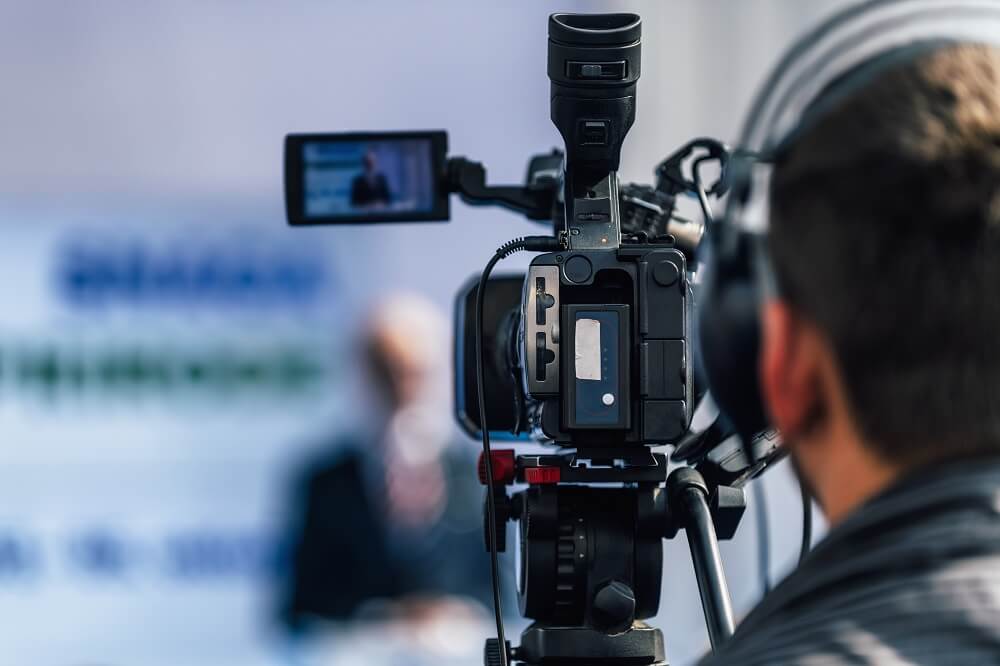
What makes professional live streaming different to social streaming is the creative and legal freedom you maintain. Going live on Facebook might be easy, but you don’t get to keep all the rights or fully restrict who has access to your streams. Use a professional platform to restrict access based on the geographical location or IP ranges, to make sure you are reaching the right audiences.
Embedding your live content onto a site or web page also means you can offer your content ad-free, without having to worry about your content getting lost as a result of Facebook’s ever-changing algorithms. Plus, there are no limits to the purpose behind your streams. Whether you are looking to stream a series of live events, offer a continual stream, stream multiple lectures or webinars simultaneously, using a professional streaming platform gives you complete control.
If you’re new to streaming events but are looking to exercise live video as a marketing or sales method, it’s important that your content promotes your brand in the right way. Settling for poor quality or error-prone streaming can do more harm than good for your brand’s online reputation.
At Zidivo, we pride ourselves on offering extensive support to each and every client through the whole process. We understand that things can go wrong when setting up or embedding your streams, which is why we’re always on hand to help. What’s more, we offer a range of monthly pricing plans so clients can choose how much to spend based on their individual budgets and video streaming needs.
Closed captioning, often confused with subtitling, is primarily used to increase the accessibility of videos for deaf or hearing-impaired viewers. Closed captions are different from subtitles in the way that they include captions outlining all actions occurring in videos, rather than just transcribing speech. To use closed captioning accurately in streams, they should be embedded using a specialist closed caption encoder.
Keep reading to learn all about closed captions and their importance in the streaming community!
Whilst closed captioning was initially invented to make video content accessible to deaf or hard of hearing people, it can be used to effectively boost the size and range of your audience too. Not everyone will have 24/7 access to sound, or people may watch videos in a restrictive setting, like at work! A surprising 85% of people online will watch video content without sound, so by failing to offer the option of closed captions, broadcasters could be missing out on a huge portion of their potential audience.
Closed captions may not be easy to incorporate into live streams, but by maximising on the accessibility and inclusivity of your audience, they are completely worth the effort!
Closed captioning your live video content can have great benefits for the visibility of your streams too. Search engines are able to pick up on your videos and rank you accordingly using the closed caption content. Again, this opens your stream up to a much larger and relevant audience by making your content much easier to locate in the masses of search results.
The nature of live streaming in real-time means that content can move quickly, leaving far more room for confusion with your viewers. Closed captioning can help to get your message across, acting as a reinforcement or reassurance of what’s being said. By offering viewers both audio and text, the information in your live streams can be far easier to grasp - especially if viewers aren’t listening to a stream in their first language.

There are some live stream settings that lend themselves to closed captioning, such as news stories, events, e-classes, webinars, corporate meetings, and more. Embedding closed captions is always a good idea when it’s important for viewers to understand exactly what’s being said.
With better understanding, will come increased engagement too. Viewers are far more likely to engage with your streams if they feel confident knowing what’s going on.
While closed captions can be highly valuable for boosting the reach and engagement of your live streams, there are a number of factors to consider.
The main factor to take into account is the additional costs and equipment that closed captioning requires. While there are cloud-based caption encoders which can automatically produce the captions for your streams, these are far less reliable than their hardware alternatives.
When considering whether to add closed captions to your streams, your budget is the main factor. If you are a brand looking to live stream on a regular basis to wide audiences, investing in the right audio embedder hardware and a closed caption encoder is the right way to go. However, if you’re an individual broadcaster on a tighter budget, cloud-based caption encoders are far more accessible and can keep your costs down.
Although closed captioning isn’t always a cheap affair, you can reduce costs in other aspects of your stream. Zidivo’s professional video streaming and hosting platform can cost as little as £20 a month, encompassing all your streaming needs. Go live from any device and stream on multiple custom web pages, without having to compromise on quality.
Another aspect in deciding whether your streams need closed captioning is legality. For example, closed captioning is a legal requirement in the UK and US when broadcasting on TV. Always check whether the purpose and/or content renders closed captioning a necessity to be 100% compliant!
Fortunately, unless you’re a licensed TV channel or service, there is no universal standard format for uploading closed captions, allowing brands to incorporate captions as they see fit.
To get it right and make sure your captions are as accurate and ‘live’ as possible, here’s Zidivo’s advice on how to do so.
You will need:
Closed captioning process:
Using closed captioning may not be an immediate consideration for all broadcasters when going live. Actually though, it can have huge benefits on the success and inclusivity of your content! Even if you don’t have the equipment or budget to include closed captions in real-time, adding them in when embedding your recorded streams on your site is still worthwhile.
Get in touch with Zidivo today to learn more about their live streaming and on-demand video services. Their team are willing to share their expert advice on all things live video related, so you can decide if their service is right for you.